This website uses cookies (including Google Analytics 4) to understand usage and improve our services. With your consent, these cookies will be enabled. Privacy Policy
Jointly patented with PanasonicAvailable as SDK / REST API
Spot photo and screen spoofing in a single frame.
Liveness Detection for facial recognition
It determines whether the face in front of the camera is a real person or a spoof presented on a photo, phone screen or printout. Add it to facial recognition for attendance, access control, medical authentication and eKYC via SDK or API.
1. Fake Face DetectionDetects photo and screen spoofing from a single still frame
2. Action DetectionVerifies instructed movements such as blinking and head turns
CPU-only, no GPU required → deployable on edge devices
Free plan on AWS Marketplace (50 calls/month, $0). App and SDK trials are available in Japan only.
SDK C++ / C# (.NET 8) / Swift / Objective-C / Java | API REST * Accuracy figures are based on in-house evaluation data (approx. 1M frames) and are not certified by a third-party laboratory.
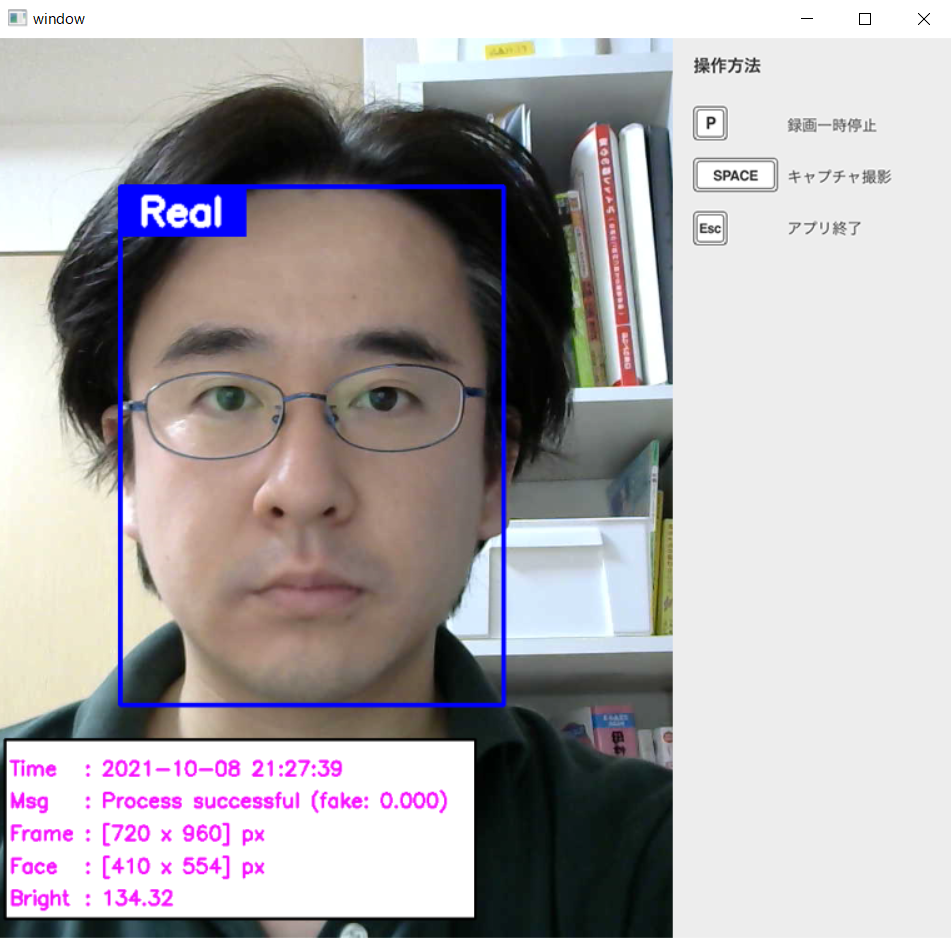
REAL
Detected as genuine
FAKE
Detected as a spoof
~ Liveness Detection protects the security of facial recognition and eKYC ~
Facial recognition
Liveness Detection
Stronger protection against spoofing
Features of the Liveness Detection Technology
1. Fake Face Detection — detect smartphone-based spoofing
Using deep learning, the system detects spoofing attacks that attempt to impersonate a user by presenting facial images on photographs, printed media, or smartphone screens.
■ [YouTube] Spoofing Attack Detection Demo
A demo video illustrating the detection of "spoofing attacks" that use someone else's facial image during face recognition at devices such as access-control terminals.
With our Liveness Detection model, when a genuine face is presented to the camera the result "Real" is shown in a blue frame, and when a fake face is presented the result "Fake" is shown in a red frame.
See how attacks via smartphone, tablet, printed media, and photographs are detected with high accuracy.
<Video> Spoofing attack detection via smartphone, tablet, printed media, and photographs
2. Action Detection — prevent spoofing by prompting users for random actions
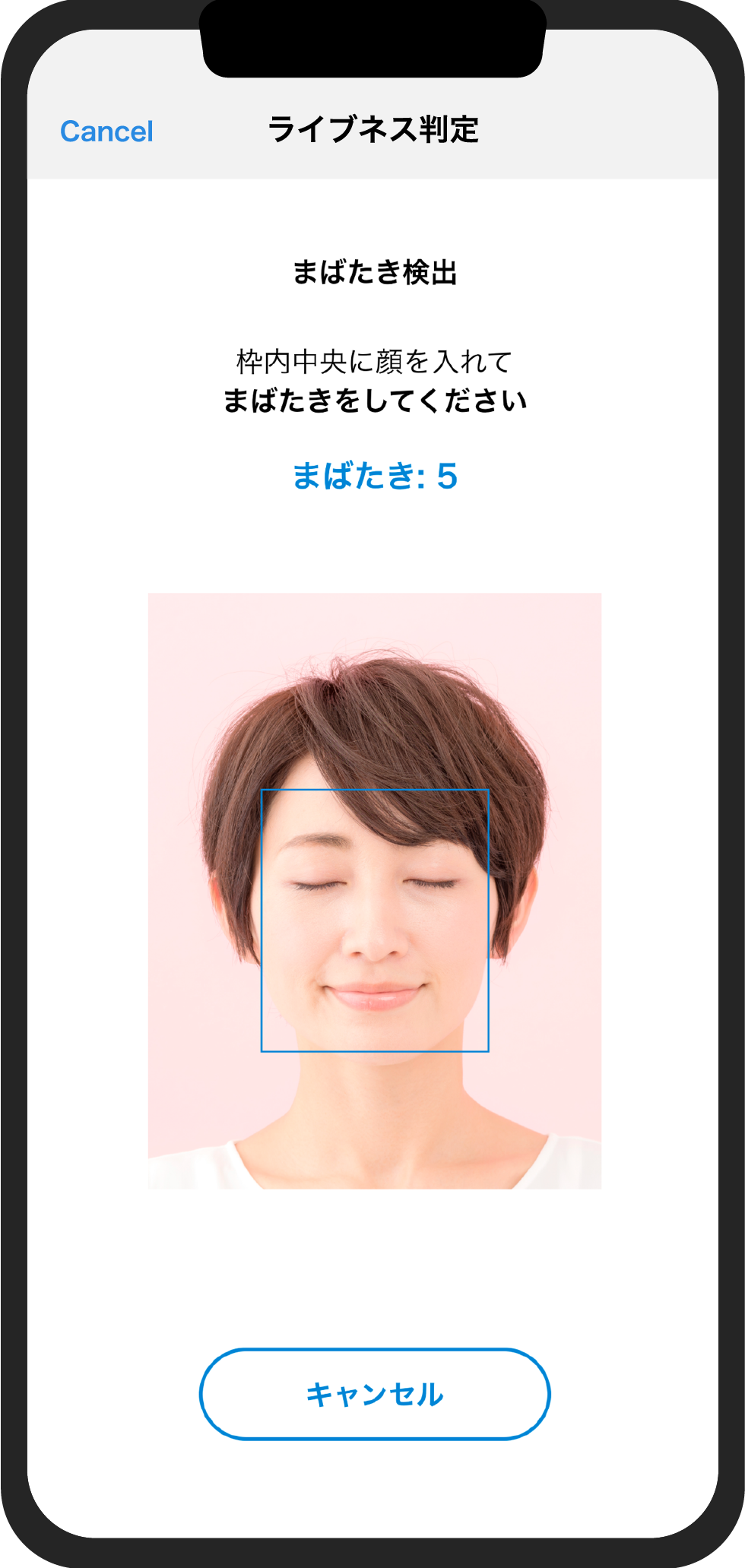
Based on time-series data from camera input, the system instructs the user to perform actions — (1) head orientation, (2) gaze direction, (3) blinking, (4) putting on/removing glasses, (5) putting on/removing a mask — and evaluates liveness based on whether the specified actions are detected using deep learning.
By requesting multiple actions in a random sequence, it helps prevent replay attacks using pre-recorded videos.
Actions used in the Liveness Detection technology
Head orientation
Gaze direction
Blinking
Glasses
3. Camera-agnostic — works even with a smartphone camera
Our Liveness Detection technology is largely camera-agnostic and can be deployed using a wide range of commercially available cameras, including smartphone cameras and USB webcams.
4. Optimized for Edge AI — high-speed processing on CPU alone
Through model optimization and compression, the system delivers high-speed inference even without GPU acceleration. On a modern Intel Core i5/i7 processor, it processes at approximately 100 ms per frame; even on a modern multi-core iPhone CPU, it achieves under 150 ms per frame. (Processing speed may vary depending on the device.)
Measured performance on a low-power CPU (our own measurements)
Because detection runs on the CPU alone with no GPU, we measured what class of CPU is actually required. The figures below were measured on a Raspberry Pi 5 (Arm Cortex-A76 ×4, up to 2.4 GHz / 8 GB RAM / Raspberry Pi OS 64-bit).
Item
4 cores
1 core only
Detection time per frame (1280×720 photograph)
approx. 105–115 ms
approx. 185–200 ms
Initialization (incl. loading models) * once at start-up only
approx. 80 ms
—
Resident memory (peak)
approx. 300 MB
* Our own measurements. The CPU clock was pinned to its maximum and we verified that no thermal or voltage throttling occurred during the run. Figures vary with the input image, how the face is captured and which features are enabled; repeat runs under identical conditions varied by roughly 3–10%. * Processing time depends on the CPU in your device. For an estimate on specific hardware, please contact us.
5. Available as an API on AWS Marketplace (SDK available in Japan only)
We provide the Fake Face Detection capability of our Liveness Detection technology as a REST API, so you can easily integrate anti-spoofing into your web services and applications — dramatically reducing development time compared with building it from scratch.
You can subscribe instantly on AWS Marketplace, and a Free plan (up to 50 calls/month, $0) is available for evaluation. (A self-contained SDK is also available in Japan only.)
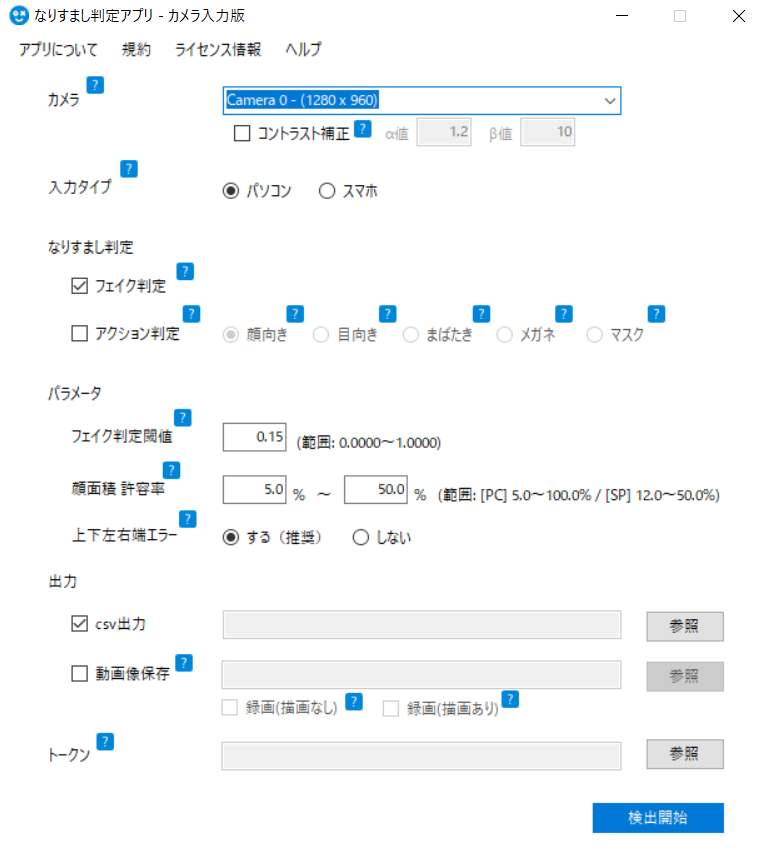
In addition to iOS and Android apps for testing accuracy, a Windows-based GUI verification app is available.
With video recording and CSV export, it can be used for pre-purchase validation and research purposes. (Available in Japan only.)
Detection Accuracy of the Liveness Detection Technology
We evaluated the Fake Face Detection (single-frame anti-spoofing) capability of our Liveness Detection technology on an in-house validation dataset of approximately 1 million frames and confirmed 99.9% for both the spoof detection rate and the genuine acceptance rate. In ver.2.4.0, we improved generalization so that detection remains stable not only on our validation data but also under unseen capture conditions and new attack patterns.
99.9%Spoof detection rateSpoofed faces correctly classified as fake
99.9%Genuine acceptance rateReal faces correctly classified as genuine
* Measured on our in-house validation dataset at the standard decision threshold. These figures are not certified by a third-party laboratory.
* For higher security requirements, the decision threshold can be adjusted to further strengthen spoof detection (the balance with the genuine acceptance rate is tunable).
Track Record
Our Liveness Detection technology has been running in production environments, primarily embedded in facial recognition terminals and services.
45+ sitesin operationas of August 2026
10 companieshave adopted itManufacturers, system integrators and more
4 OSplatforms in productionWindows / Linux / iOS / Android
How it is actually deployed
Authentication for medical information systems — Embedded in login and operator verification at healthcare institutions, and rolled out across multiple sites on an ongoing basis. Healthcare is one of the most demanding sectors in terms of procurement review.
Embedded in time-and-attendance and access control terminals — The SDK is embedded into tablets, Windows PCs and Linux-based terminals so that detection runs entirely on the device.
Operation in closed environments with no cloud connectivity — Detection runs on CPU inference alone and requires no GPU, so it works in environments with no external network access. Face images never leave the device, which is a key reason it is chosen in healthcare and industrial settings.
Running on embedded boards — Also runs on small form-factor boards such as Raspberry Pi and NVIDIA Jetson. The camera already built into your device can be used as is, with no need to source a dedicated camera.
* The number of sites, companies and licenses shown here relates to our Liveness Detection technology (as of August 2026). Customer names are withheld under our agreements with each company. * See Use Cases for typical application scenarios and Pricing for commercial terms.
Patents Underlying the Liveness Detection Technology
Determination method, determination device, and determination program (Granted in Japan, the United States, China, and India)
Liveness Detection — eKYC Use Case
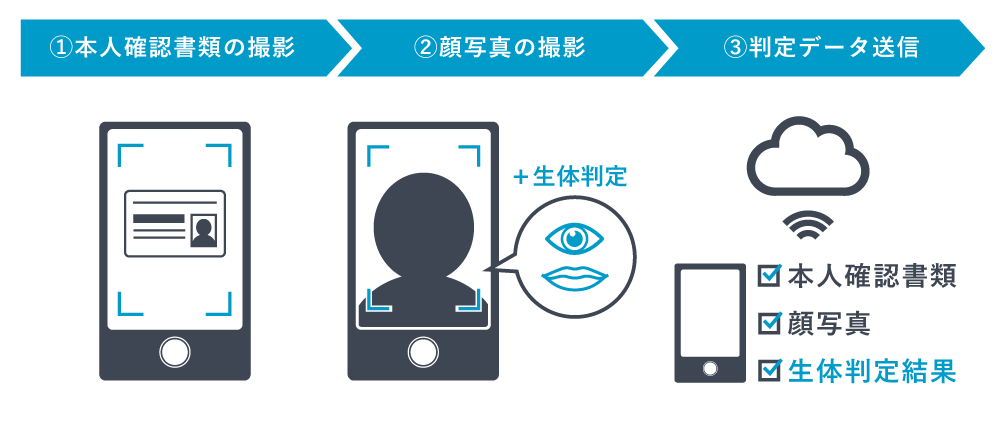
Liveness Detection can be seamlessly added to identity verification workflows such as eKYC (online identity verification).
How It Fits Into Your System
Liveness Detection is an enabling technology you embed into your own products and services. With the API (managed), you can add anti-spoofing with a single request — no detection server to build or run.
API Architecture
Integrate with a single API call (no server to build)
Your app or service sends the captured image (with the face in frame) to the Liveness Detection API and receives the Fake Face Detection result. There's no need to crop the face — just send the captured image. Proceed to your own face authentication only when the face is judged genuine. No detection server to build or operate — just subscribe on AWS Marketplace.
STEP 1Capture a face (app / web)You
STEP 2Send the image to the APIYou
STEP 3Fake Face Detection by the APIOur API
STEP 4Authenticate only if genuineYou
* The API provides single-frame Fake Face Detection only. For video-based Action Detection, the SDK is available in Japan only.
* "Face authentication" refers to your own or a third-party engine (we do not provide face recognition itself). Other architectures — such as server-side or fully on-device SDK integration — are also possible. Please contact us for details.
Liveness Detection API
The Fake Face Detection capability of our Liveness Detection technology is now available as a REST API. Subscribe on AWS Marketplace and integrate anti-spoofing into your web services and applications right away.
Easy procurement via AWS Marketplace — subscribe instantly with your AWS account. Fees are billed together with your AWS usage, with no separate contracts or purchase orders.
A familiar, simple REST API — a single HTTPS + JSON request returns the detection result. Try it with a few lines of curl.
Free plan for evaluation — up to 50 calls/month at $0, ideal for PoC and testing.
A detection engine deployed at 45+ sites — as of August 2026, the same engine used in our Liveness Detection technology is deployed at more than 45 sites across Japan (Track Record).
Secure by design — TLS-encrypted communication, API key authentication, processing in the AWS Tokyo region, and a 99.5% monthly uptime SLA.
Face images are not stored persistently — submitted images are discarded promptly after processing and are not persistently stored on disk, in databases, logs, or backups. They are never used to train machine-learning models (API Privacy Notice).
* The API provides single-frame Fake Face Detection (Passive Liveness Detection) only. If you need video-based Action Detection (Active Liveness Detection), please consider the SDK, which is available in Japan only.
▼ Demo apps and the trial SDK are available in Japan only. The Liveness Detection API is available worldwide — subscribe on AWS Marketplace.
Trial App for Windows (Japan only)
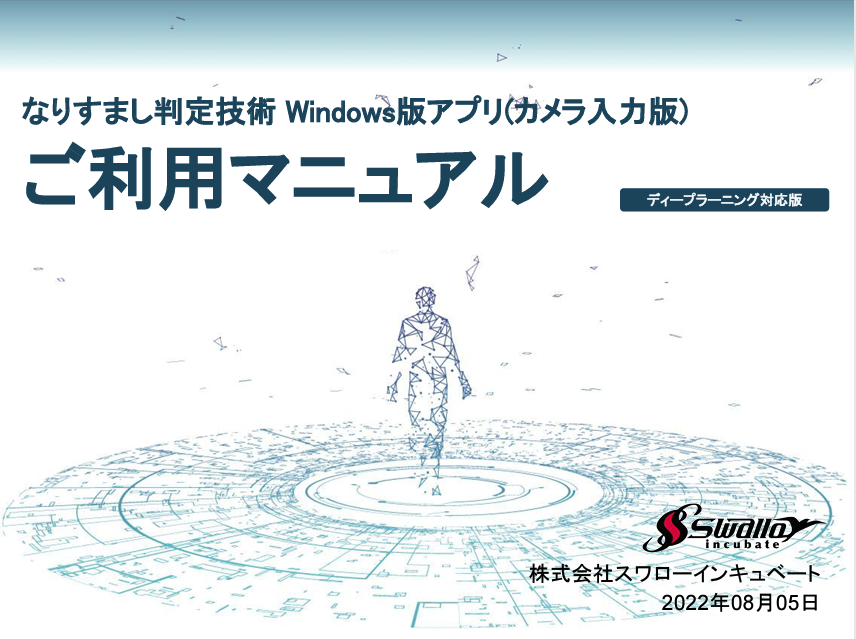
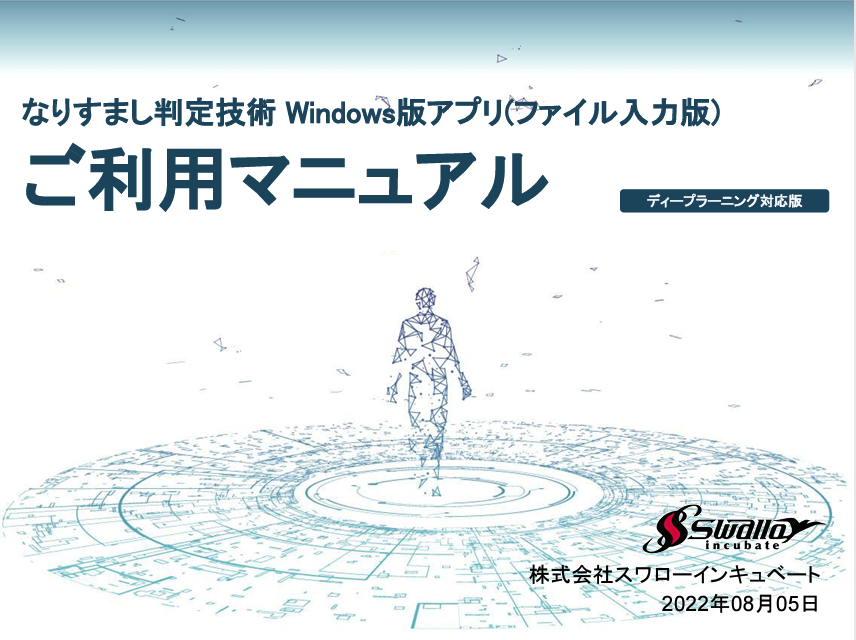
A hands-on app for Fake Face Detection and Action Detection — just run the .exe to try it.
A deep learning-based liveness detection technology that works with ordinary visible-light cameras, such as webcams (USB cameras) and built-in PC cameras.
It prevents spoofing through Fake Face Detection (Passive Liveness Detection), which can evaluate a single frame, and Action Detection (Active Liveness Detection), which uses time-series data to detect specified actions such as blinking and head movements. Through model optimization and compression, it achieves a processing speed of approximately 100 ms per frame even on a CPU (measured on an 8th-generation Intel Core i7 Windows machine). It also supports CSV export and video recording for verification beyond real time. Camera-input and file-input editions are available.
The Windows demo app is available in Japan only. See the documents section for materials.
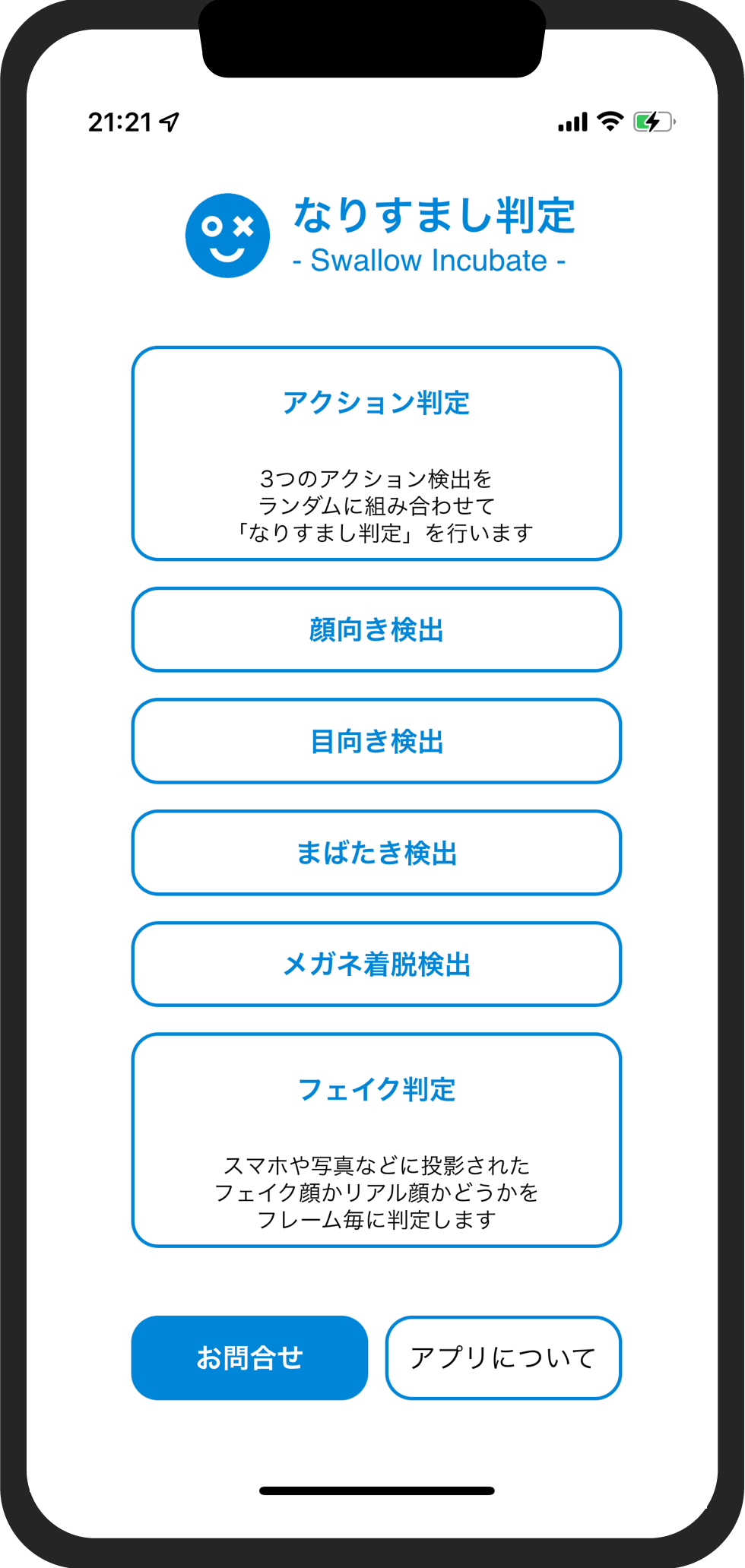
Trial App for Smartphone / Tablet (Japan only)
~ Easy liveness detection with a smartphone front camera ~
A demo app that lets you experience liveness detection designed to prevent impersonation using photos or screens during facial recognition, for use cases such as eKYC (online identity verification).
It detects actions such as head orientation, gaze direction, blinking, and putting on or removing glasses, effectively preventing spoofing attempts that use another person's face displayed on a smartphone screen or photo. * The iOS edition is currently distributed via TestFlight only (not via the App Store). * The Android edition is distributed via a download URL link for Google Play.
Trial SDK for Various OS (Japan only)
An SDK for experiencing integration, processing speed, and accuracy using the liveness detection library and learning models.
A liveness detection library that judges spoofing based on time-series changes in facial states (head orientation, gaze direction, blinking, etc.) and determines from a single frame whether a face is genuine or a fake shown on a smartphone or photo.
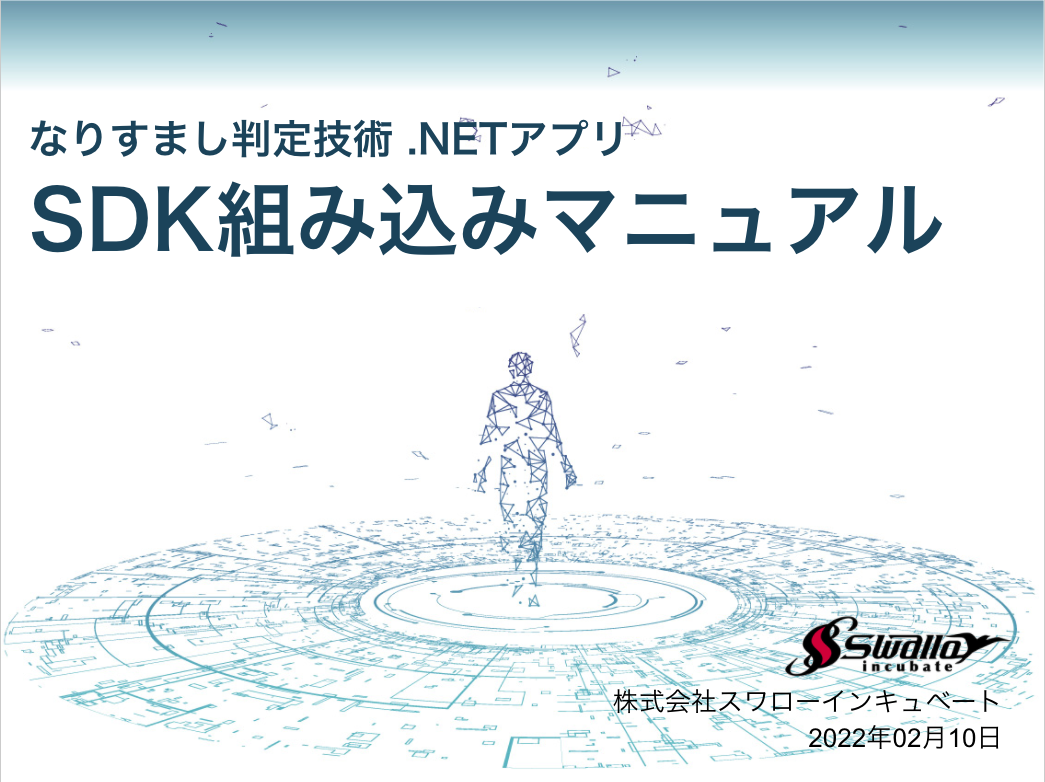
The SDK can be integrated into general-purpose operating systems such as Windows, Linux, iOS, and Android. The trial SDK is available in Japan only; the structure of the SDK is shown below.
A sample wrapper file that calls the C++ library from Java via the NDK is included. CPU architectures arm64-v8a / armeabi-v7a / x86 / x86_64 are available.
Pricing for the app and SDK is available in Japan only.
The Liveness Detection API is offered in six monthly plans on AWS Marketplace. Each plan includes a monthly quota of API calls; usage beyond the quota is charged per call. Fees are billed together with your AWS usage.
* See the AWS Marketplace product page for the latest pricing.
* Each button opens the AWS Marketplace product page in a new tab. You choose the plan on the subscription page.
ANo. We provide enabling technology that can be integrated into eKYC and facial recognition solutions. While it is not a standalone eKYC service, it is designed to be easily integrated into your existing facial recognition engines or eKYC platforms.
QDo you also offer facial recognition technology?
AOur primary offering is Liveness Detection technology, which is applied immediately before or after the facial recognition step. If you would like a bundled solution that includes a facial recognition engine, please contact us.
QWhat exactly can the Liveness Detection technology detect?
ABroadly, it performs two functions: Fake Face Detection (still images) and Action Detection (video). Fake Face Detection determines whether a face presented to the camera is genuine or a spoof attempt (such as a photo or smartphone screen). Action Detection prompts the user to perform specific movements and verifies authenticity based on whether those requested actions are successfully detected.
QCan this be used in mobile applications?
AYes. The Liveness Detection SDK has minimal camera hardware dependencies and works with built-in smartphone cameras (including iPhones), making it well suited for mobile apps.
QWhat is the processing speed of liveness detection?
AWith the SDK, while it depends on your operating environment and input image size, processing on a CPU alone is approximately 100 ms per frame. With the API, our production measurements (AWS Tokyo region) show a response time of about 200 ms for a single request, and within 500 ms even under concurrent access (3 requests). * Actual times vary with image size and network conditions.
QHow accurate is the detection?
AFor Fake Face Detection (single-frame anti-spoofing), our in-house evaluation on approximately 1 million frames confirmed 99.9% for both the spoof detection rate and the genuine acceptance rate (in-house evaluation). See Detection Accuracy for details.
For higher security requirements, the decision threshold can be adjusted to further strengthen spoof detection.
QHow many deployments do you have?
AAs of August 2026, our Liveness Detection technology has been deployed at more than 45 sites. It is in use across a wide range of industries and use cases, including facial recognition services, access control systems, time-and-attendance terminals, and medical authentication terminals. See Track Record for details.
QWhich operating systems are supported?
AThe Liveness Detection SDK supports Linux, Windows, iOS and Android. macOS is supported on a case-by-case basis. For version details or other OS requests, please feel free to contact us.
QHow is the technology delivered?
AWe offer it via an API and as an SDK (Japan only), and also accommodate custom solution development tailored to your needs. The API is available on AWS Marketplace. Please contact us via the inquiry form for requirements and quotes.
QHow do I subscribe to the API?
ASubscribe on the AWS Marketplace product page. After a short account setup, your API keys are issued and you can start right away.
Fees are billed together with your AWS usage, so no separate contracts or purchase orders are required. A Free plan (up to 50 calls/month, $0) is available for evaluation.
QDoes the API support Action Detection?
ANo. The API provides single-frame Fake Face Detection (Passive Liveness Detection) only.
If you need video-based Action Detection (Active Liveness Detection), please consider the SDK, which is available in Japan only.
QAre the face images I send to the API stored?
ASubmitted face images are used solely to produce the detection result and are discarded promptly after processing. They are designed not to be persistently stored on disk, in databases, logs, or backups, and are never used to train machine-learning models.
For details, see the Liveness Detection API Privacy Notice.
QWhat is an SDK?
ASDK stands for Software Development Kit — a package for embedding our technology into your own applications. It includes C++ interface header files, a dynamic link library (DLL), a sample app, an activation token, and an integration manual.
 REAL
REAL
 FAKE
FAKE